
Complete.MD Web Portal Release 01-9-2025
New Features / Enhancements
-
Final Diagnosis Visibility
- Search Screen: Displays Final Diagnosis instead of Clinical Diagnosis when available.
- Detail Screen: Now shows Final Diagnosis.
-
Search Filter: Added a new filter option specifically for Final Diagnosis.
Action Plan: Final DX & CPT Codes
- Associate Codes: You can now associate Final Diagnosis and CPT codes directly with specimens.
- Approve Lab Recommended Codes: Allows you to “approve” a lab-recommended diagnosis code that is associated with a specimen.
-
Minor Bug Fixes: Includes small UI fixes for split-screen view.
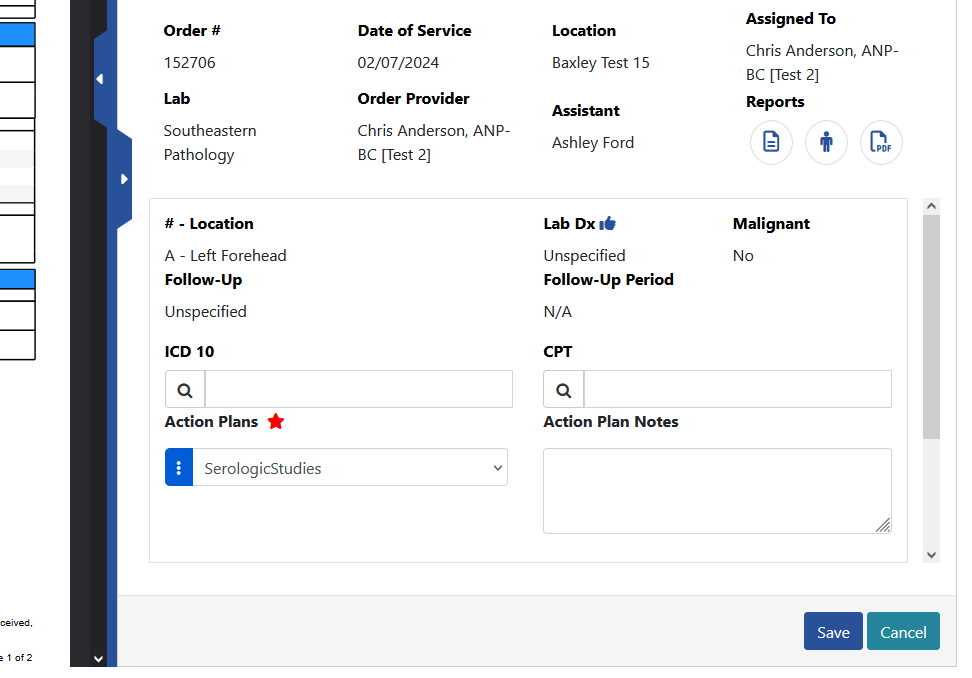
Final Diagnosis in Reports
-
Final Diagnosis is now included in the Lab Order Summary Report, Pathology lifecycle, and Logbook Search results to ensure consistency and clarity across different reporting areas.
Provider Final DX Suggestions in Claims
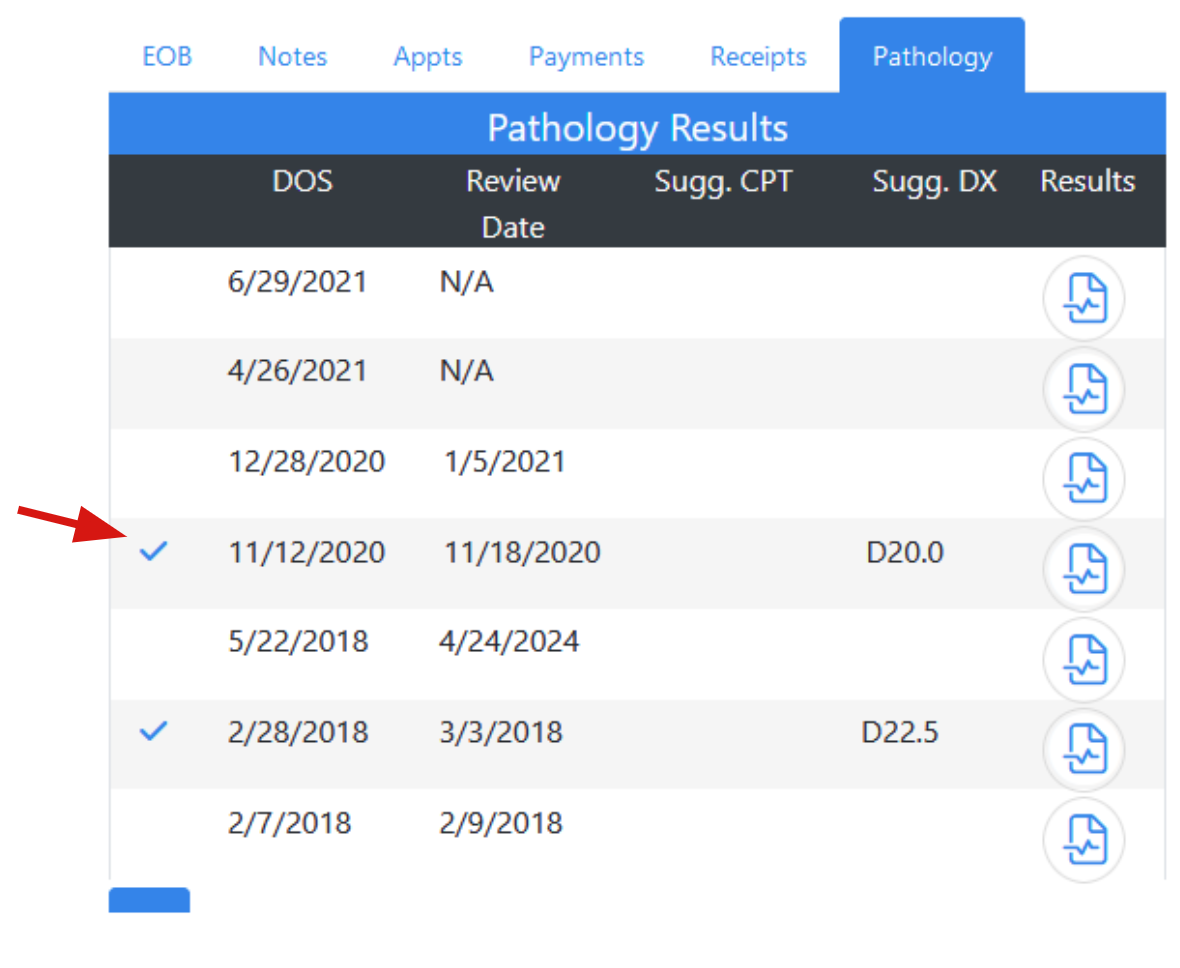
- New “Pathology” Tab: Added to the claim ticket page for provider-suggested final diagnoses.
-
Click on the Pathology tab.
-
Select the checkmark in the left column.
-
A table appears below, allowing you to apply or confirm suggested diagnoses as needed by clicking the checkmark.

View Visit Notes from Encite in Complete.MD
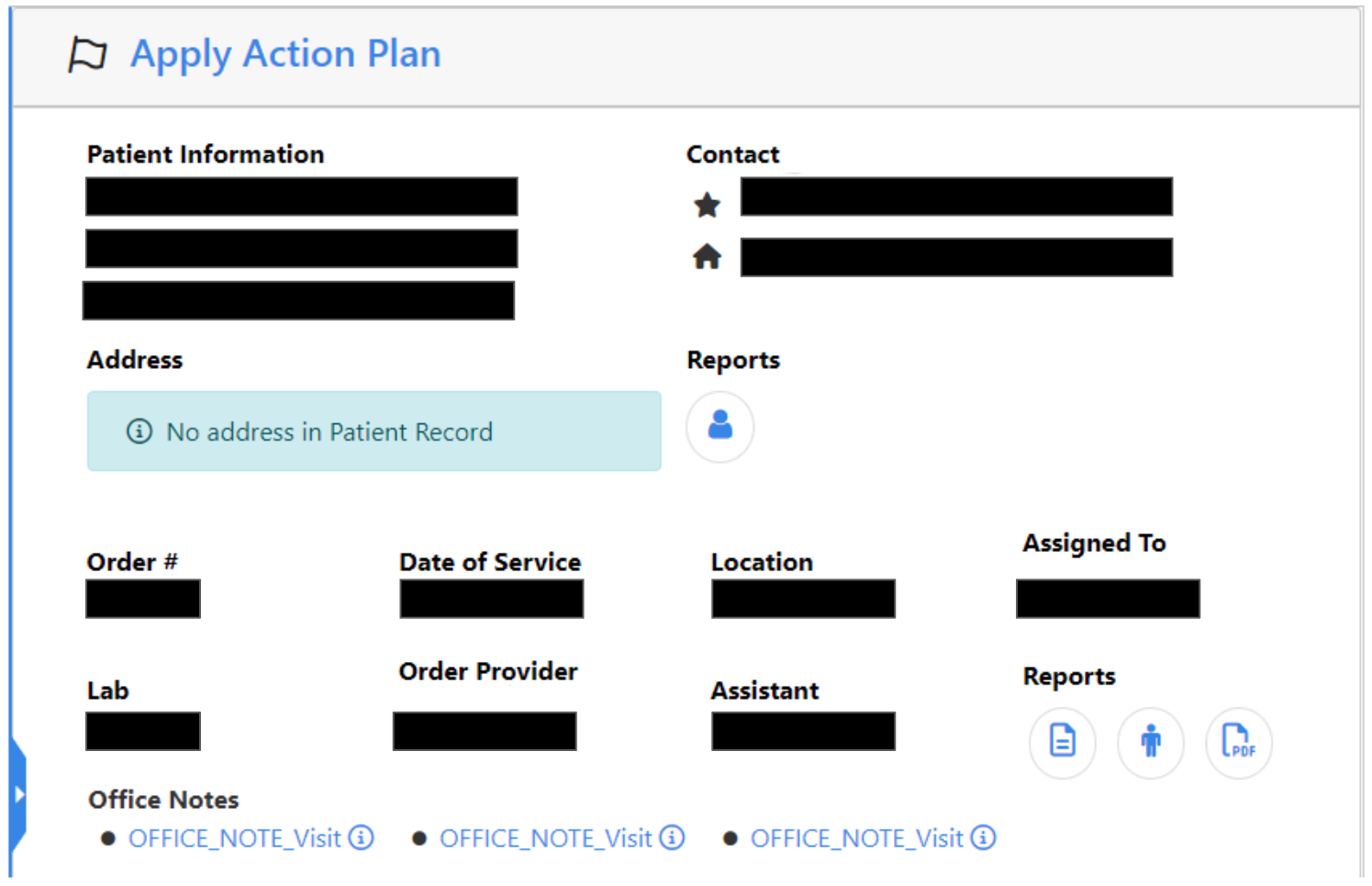
- Logbook Search Enhancement: Added a "View Visit Note" link to directly access Encite office notes when editing an Action Plan.
-
Link Availability: Displays only if there’s a matching office note for the same date of service.
-
Bug Fixes
-
Resolved Windows 11 Camera Crash:
-
Reverted the client camera application to resolve the crash issue on Windows 11 when opening the lesion sheet.
Fixed Patient Info Form Layout:
- Resolved an issue causing text to be cut off in the patient info form. This update ensures consistent and proper text alignment across all reports in Complete MD Client.
-